RecDual Link App 1.0.0: Manage Your RecDual Dongle from Any Device
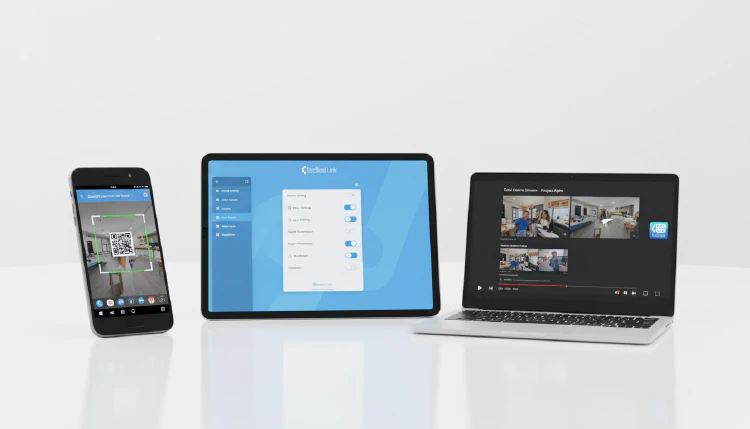
ClonerAlliance is pleased to announce the release of RecDual Link App version 1.0.0, the companion application for the ClonerAlliance RecDual Dongle. Available on Android, iOS, and Windows, RecDual Link gives you complete control over your RecDual Dongle from any device.
Key Features
Device Activation and Binding
Getting started is simple. Activate and bind your RecDual Dongle using one of two methods:
- QR Code Scanning: Point your phone’s camera at the QR code on the device for instant activation
- Serial Number Entry: Manually enter the device serial number if QR scanning isn’t available
Graphical Configuration Management
Adjust all your RecDual Dongle recording settings through an intuitive graphical interface:
- Recording resolution and quality
- Bitrate settings
- Audio configuration
- Loop recording preferences
- Scheduled recording setup
No need to navigate hardware menus — everything is accessible from your phone, tablet, or computer.
One-Click Firmware Upgrade
Keep your RecDual Dongle up to date with the latest firmware improvements:
- The app automatically checks for available updates
- Download the firmware with a single tap
- The app handles the entire upgrade process
- Track upgrade progress in real time
Video Playback and File Management
Browse and manage your recorded content directly from the app:
- Preview recorded videos
- Manage files on the TF card
- Transfer recordings to your device
Multi-Language and Theming
- Languages: English and Chinese
- Themes: Dark mode and Light mode
- Auto-Update: Windows version supports automatic updates
Platform Availability
| Platform | Size | Source |
|---|---|---|
| Android | 25 MB | APK download / Google Play |
| iOS | 30 MB | App Store |
| Windows | 45 MB | Installer download |
Download
Download RecDual Link for your platform: https://www.cloner-alliance.com/help/download/software/recdual-link/
Getting Started
- Download and install RecDual Link on your preferred device
- Power on your RecDual Dongle
- Open the app and scan the QR code or enter the serial number
- Start configuring and managing your device
The RecDual Link App works with the ClonerAlliance RecDual Dongle (CA-1290). For more information about the RecDual Dongle hardware, visit: https://www.cloner-alliance.com/recdual-dongle/