No PC Required: The Best Standalone Video Recording Solutions in 2024
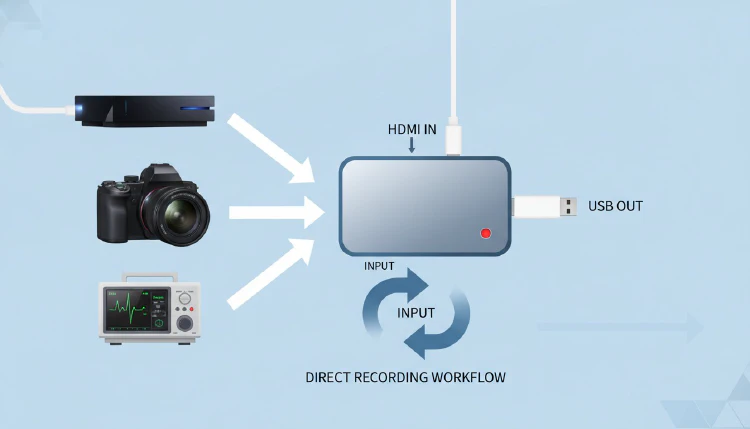
Not everyone wants to — or needs to — use a computer for video recording. Standalone video recorders offer a compelling alternative: plug in your source, insert a USB drive or SD card, press record, and you’re capturing video. No software, no drivers, no PC required.
The standalone recorder market has grown significantly in 2024, with options ranging from basic 1080p devices to advanced 4K recorders with professional features.
Why Choose Standalone Recording?
The appeal of standalone recording comes down to several key advantages:
- Simplicity: One-button operation with no software to configure
- Reliability: No operating system crashes, no software conflicts, no driver issues
- Zero system impact: Hardware encoding means zero load on any connected device
- Portability: Many standalone recorders are battery-powered and highly portable
- Versatility: Works with any HDMI source without compatibility concerns
Top Standalone Recorders in 2024
ClonerAlliance UHD Pro
The ClonerAlliance UHD Pro is a 4K standalone recorder that captures at cinematic 4K@24fps (up to 4K@30fps) using H.264/H.265 encoding. It features a remote control for easy operation, supports recording to USB drives, and includes instant playback capability through HDMI output — letting you review recordings directly on your TV.
AVerMedia EzRecorder 330
The AVerMedia EzRecorder 330 is designed for set-and-forget recording scenarios. It supports scheduled recording, which is invaluable for capturing TV shows, security feeds, or any content on a regular schedule. Its 1080p@60fps recording capability covers most use cases effectively.
ClonerAlliance Box Pro
The ClonerAlliance Box Pro offers a comprehensive standalone recording solution with multiple input types beyond just HDMI — including composite, component, and VGA inputs. This makes it particularly valuable for digitizing analog video sources like VHS tapes, older camcorders, and legacy equipment.
Standalone vs. PC-Based Recording
| Feature | Standalone | PC-Based |
|---|---|---|
| Setup complexity | Minimal | Moderate to high |
| Reliability | Very high | Depends on PC stability |
| System resource usage | Zero | Significant |
| Recording quality ceiling | Up to 4K@30fps | Up to 4K@60fps+ |
| Post-processing | None (raw recording) | Real-time effects possible |
| Software customization | Limited | Extensive |
| Portability | High | Low (desktop) / Moderate (laptop) |
| Cost | $100-$300 typically | $100-$300 (card only, PC separate) |
Key Features to Look For
When shopping for a standalone recorder, prioritize these features based on your needs:
- Resolution and frame rate: Ensure it matches your source device’s output
- Encoding format: H.265 offers better compression than H.264 at equivalent quality
- Storage support: Maximum USB/SD card capacity and supported file systems
- HDMI passthrough: Essential if you want to monitor your source while recording
- Remote control: Convenience for living room setups
- Scheduled recording: Critical for unattended capture scenarios
- Multiple inputs: HDMI, composite, component, VGA for maximum versatility
- Built-in display: Some models include LCD screens for preview and playback
Use Cases
Standalone recorders excel in scenarios where simplicity and reliability are paramount:
- Living room recording: Capture TV shows, movies, or gaming sessions with one button press
- Presentations and meetings: Record directly from a projector or display HDMI output
- VHS digitization: Convert analog video collections to digital files
- Security recording: Scheduled recording from HDMI cameras
- Medical documentation: Reliable recording from medical imaging equipment
The Future of Standalone Recording
The standalone recorder market is evolving rapidly. We’re seeing devices with 4K@60fps recording capabilities, built-in Wi-Fi for wireless file transfer, companion mobile apps for remote control, and AI-powered features like scene detection. As hardware encoding technology continues to improve, standalone recorders will close the remaining quality gap with PC-based solutions.
Sources: