UHD Pro vs UHD Halo: Which Standalone 4K Recorder Fits Your Setup?
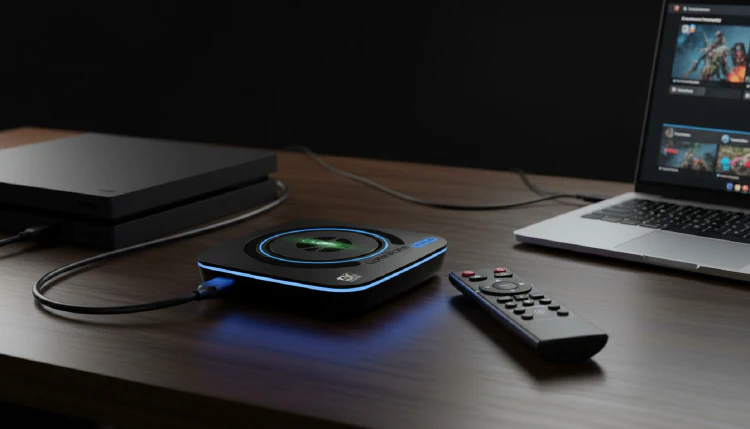
ClonerAlliance UHD Pro and UHD Halo are both standalone 4K recorders. Both record HDMI video straight to a USB drive or memory card without a computer, and both pass the picture through to your TV while they record. So which one should you get?
This article puts the two side by side and then suggests which one fits which setup.
Side-by-side comparison
| ClonerAlliance UHD Pro | ClonerAlliance UHD Halo | |
|---|---|---|
| Maximum recording | 4K@30fps | 4K@60fps |
| Cinematic frame rates | 4K@24/25fps (Auto, Cinematic-FPS) | Recording frame rate follows the input |
| Video encoding | H.264 / H.265, up to 50Mbps | H.264 / H.265, up to 50Mbps |
| Video inputs | HDMI, up to 4K@60fps | HDMI, up to 4K@60fps, plus USB-C (DisplayPort) input, up to 4K@60fps |
| HDMI passthrough | Up to 4K@60fps, under 100ms | Up to 4K@60fps, about 50ms |
| Storage | USB flash drive, external hard drive, TF card | USB flash drive, external hard drive or SSD, TF card |
| File systems | FAT32, exFAT, NTFS (FAT32: 4GB per file) | FAT32, exFAT, NTFS (FAT32: 4GB per file) |
| Audio | Mixes HDMI audio with a microphone or line-in source; audio-only MP3 recording | Mixes HDMI audio with line-in and microphone; audio-only MP3 recording |
| Surround sound | Records stereo | 5.1 / 7.1 input is down-mixed to stereo |
| Remote control | Included | Included |
| Storage device in the box | Not included | Not included |
Both also support scheduled recording, a pause button for pausing and resuming a recording, and custom file names. Neither has a built-in screen: the menu is shown on the TV connected to HDMI OUT.
Which one fits your setup?
Choose UHD Halo if you want 4K@60fps or a USB-C source
UHD Halo records at 4K@60fps, and it has a USB-C (DisplayPort) video input, so you can record from devices that output video over USB-C. Its passthrough latency is about 50ms. That makes it the natural pick for recording 4K@60fps gameplay from a console or PC while you play on the TV.
Choose UHD Pro for 4K@30fps recording with 4K@60fps passthrough
If 4K@30fps recording is enough for you, UHD Pro records from an HDMI source while your TV still receives 4K@60fps. It also offers cinematic 4K@24/25fps recording, H.264 or H.265 encoding, and audio mixing, and it is designed to be easy to use, including for first-time users.
Things that are the same on both
- No computer needed. Each one records on its own to the storage device you connect. Please prepare a USB drive, external drive or TF card, because none comes in the box.
- Use exFAT or NTFS for long recordings. On a FAT32 drive, each file is limited to 4GB, so long recordings are saved as several files.
- Stereo audio. The recordings have stereo sound, even when the source outputs surround sound.
Still not sure?
Tell us what you want to record and where you will watch it, and our support team will help you choose: contact us.