USB vs. PCIe Capture Cards: Which One Is Right for Your Setup?
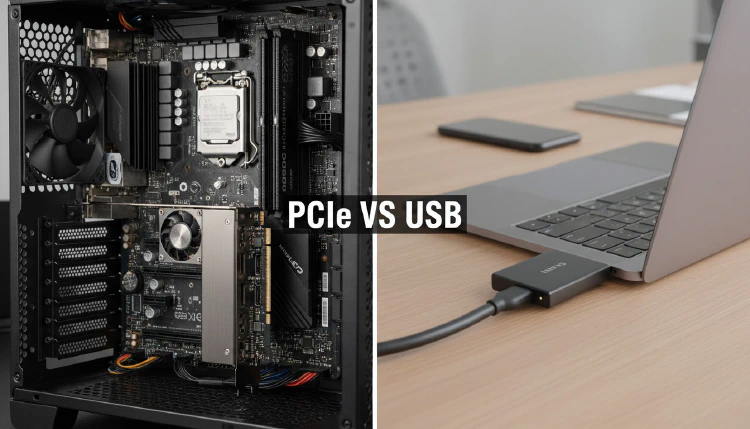
One of the most common questions we hear from aspiring streamers and content creators is: should I get a USB or PCIe capture card? Both have their strengths, and the right choice depends entirely on your setup, needs, and workflow. Let’s break down the key differences.
Bandwidth and Performance
This is where the biggest technical difference lies. PCIe capture cards connect directly to your motherboard and benefit from significantly higher bandwidth than USB connections.
A PCIe x4 interface provides up to 32 Gbps of bandwidth (PCIe 3.0), while USB 3.0 maxes out at 5 Gbps. This bandwidth advantage allows PCIe cards to capture at higher bitrates — the Elgato 4K60 Pro Mk.2, for example, can record at up to 140 Mbps, far exceeding what most USB capture cards can handle.
For reference, most external USB capture cards top out at around 40-60 Mbps, which is still excellent for 1080p@60fps and adequate for 4K@30fps content.
Latency
PCIe capture cards have a natural latency advantage. As VTechInsider explains, with a PCIe card, data transfers directly from the source to your motherboard without going through a host controller. USB capture cards must route all audio and video data through a USB host controller for processing, which adds a small but measurable amount of latency.
For most recording and streaming scenarios, this latency difference is negligible. However, for professional broadcast applications where every millisecond matters, PCIe cards remain the preferred choice.
Portability and Compatibility
This is where USB capture cards shine. An external USB capture card can be used with:
- Desktop PCs
- Laptops
- Tablets (some models)
- Android devices (UVC-compatible cards)
A PCIe card is permanently installed inside a desktop PC — there’s no option to take it with you or use it with a laptop. If you travel between locations or use multiple machines, a USB capture card is the clear winner.
As GamingScan’s buying guide points out, if all the devices you intend to record from can be easily connected to your desktop PC, an internal card is likely the best choice. Otherwise, you’ll need the flexibility of an external card.
Setup and Installation
PCIe cards require:
- An available PCIe slot on your motherboard
- Opening your PC case for installation
- Potentially updating BIOS or drivers
USB cards require:
- A USB 3.0 port (USB-C for newer models)
- No installation beyond plugging in the device
- Most are truly plug-and-play with no drivers needed
Cost Comparison
USB capture cards generally offer better value for budget-conscious buyers. You can find quality 1080p@60fps USB capture cards starting around $100-150, while comparable PCIe options typically start at $200+.
At the high end, the price difference narrows. Premium USB cards like the AVerMedia Live Gamer Ultra 2.1 and premium PCIe cards like the Elgato 4K Pro are similarly priced, though the PCIe option delivers measurably better performance.
Recommendation Summary
| Your Situation | Best Choice |
|---|---|
| Desktop PC only, maximum quality | PCIe |
| Laptop user | USB |
| Multiple machines or travel | USB |
| Professional broadcast | PCIe |
| Budget-conscious | USB |
| 4K@60fps capture needed | PCIe (or high-end USB) |
| Simple plug-and-play setup | USB |
The Bottom Line
For most gamers and content creators in 2023, a quality USB capture card provides more than enough performance. The convenience of plug-and-play setup, portability, and broad device compatibility makes USB cards the right choice for the majority of users.
If you’re a dedicated desktop user who demands the absolute best quality and lowest latency, a PCIe capture card is worth the extra investment and installation effort.
Sources: