


ClonerAlliance Flint 4KP
4K@30fps Passthrough Live Streaming and Video Capture Device
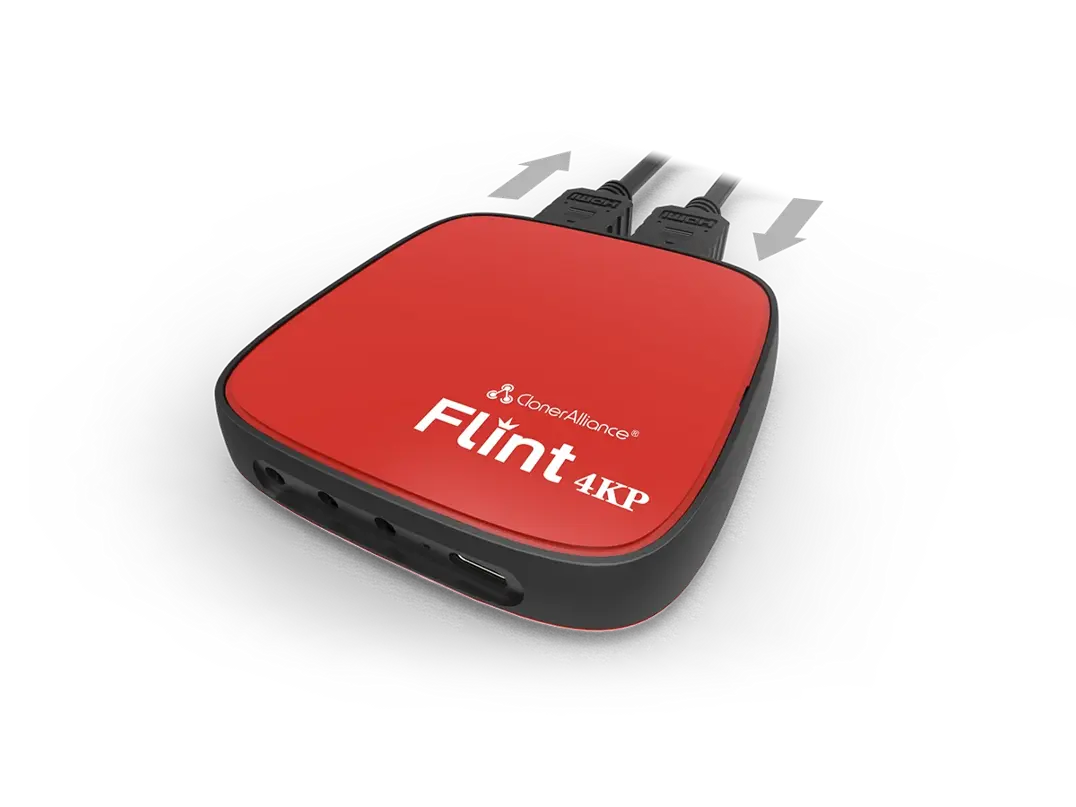
ClonerAlliance Flint 4KP
ClonerAlliance Flint 4KP is a portable UVC HDMI to USB 3.0 video capture device. It supports 4K@30fps passthrough. No driver is needed, just plug and play.
ClonerAlliance Flint 4KP is a portable UVC HDMI to USB 3.0 video capture device. It supports 4K@30fps passthrough. No driver is needed, just plug and play. With universal and high performance USB Type-C port and Ultra Low Latency technology, you can easily capture, record and broadcast 1080p@60fps HDMI videos from various game consoles, video discs, set-top-box, webcams, DSLRs, or camcorders to Windows, Mac, Linux or Android. Together with popular 3rd party livestreaming software such as OBS, XSplit, VLC, etc, you can stream and capture your gameplay/videos to Youtube/Twitch, ZOOM, Skype/Facebook instantly.
Key Features

1080p@60fps Capture. 4K@30fps Passthrough.

Go Live on YouTube/Twitch, ZOOM, Skype/Facebook.

Ultra Low Latency with USB 3.0 Type C. Live Commentary.

Plug and Play. Windows/Mac/Linux/Android Supported.
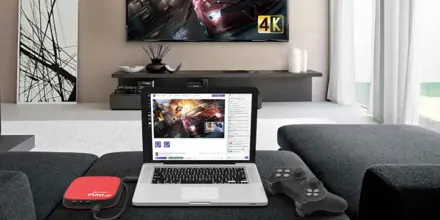
4K Passthrough and Ultra Low Latency

Use Camcorder/DSLR as Webcam and Share on YouTube/Twitch, ZOOM, Skype/Facebook More Easily
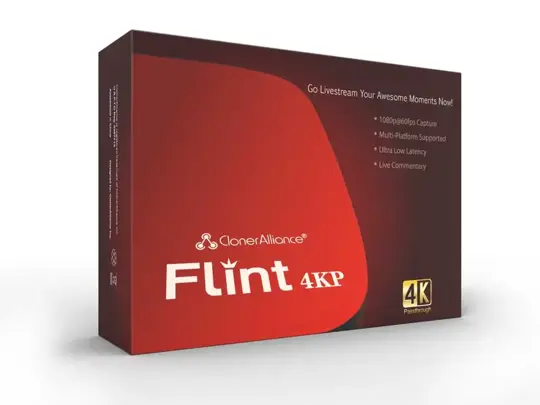
Specifications
| Output format | MJPEG,YUY2 |
|---|---|
| Video standards (input) | NTSC, PAL |
| Input | HDMI, Line in, Mic in |
| Output | HDMI(pass-through), USB Type-C, Line out |
| Bitrate | Max:140Mbps |
| Weight | 2.6 oz |
| Dimensions | 3.63 x 3.63 x 0.67 inches |
Supported Resolutions
| Input/Output | 3840x2160 (30fps), 1920x1080 1280x720, 1280x1024, 1024x768, 600x1200 800x600, 720x576, 720x480, 640x480 |
|---|---|
| Recording | Up to 60 fps @ 1920x1080 |
Unboxed
- ClonerAlliance Flint 4KP
- HDMI Cable
- USB3.0 (male) to USB Type-C cable
- USB2.0 (female) to USB Type-C connector
- USB3.0 (female) to USB Type-C connector
- USB2.0 (female) to USB Micro-B OTG cable
- USB2.0 Type-A female to male connector
- Quick Guide
Reviewer's Recommendation
FAQ
How to use ClonerAlliance Flint 4KP to record or livestream videos on Windows?
OBS Studio is a popular open source software for video recording and live streaming. If you want to livestream on Windows system, please follow the steps below: FYI. LED Indicator: Stable Blue indicates ClonerAlliance Flint 4KP is in working mode.
Learn more →How to use ClonerAlliance Flint 4KP to record or livestream videos on mac?
OBS Studio is a popular open source software for video recording and live streaming. If you want to livestream on mac system, please follow the steps below: FYI. LED Indicator: Stable Blue indicates ClonerAlliance Flint 4KP is in working mode.
Learn more →How to improve the video quality when using ClonerAlliance Flint 4KP?
Generally, the pixelation issue is caused by using a USB 2.0 port on your PC. Please make sure you are using a USB 3.0 port on your PC first.
Learn more →Which models of ClonerAlliance hardwares are plug and play for working with Zoom or Skype?
`ClonerAlliance UHD Pro`_ , ClonerAlliance Flint and Chert Series Products work with Zoom or Skype directly.
Learn more →Why don't I get audio from my DSLR in Zoom?
Don't worry. We are sure that issue was caused by the Zoom software. We have found a work-around to fix it. In Zoom, please switch the video to another device. After that, switch it back to the ClonerAlliance Flint/Chert Series Hardware, then the audio will start working.
Learn more →How to use ClonerAlliance Flint 4KP to record or livestream videos on linux?
OBS Studio is a popular open source software for video recording and live streaming. If you want to livestream on linux system, please follow the steps below: FYI. LED Indicator: Stable Blue indicates ClonerAlliance Flint 4KP is in working mode.
Learn more →How to use ClonerAlliance Flint 4KP to record or livestream videos on Android?
For USB Type-C socket phone: Please plug USB Type-C cable directly to your Android Phone. For USB Micro-B socket phone: Please use USB Type-C (female) to USB (male) connector and Micro-B cable to connect to your Android phone. FYI.
Learn more →Why are the video and audio out of sync while ClonerAlliance Flint series products working with OBS?
Strongly Recommended: Please Do install HDML-Cloner Pro Helper(2.1 or above) on your computer. Generally, you won't get the issue any more. If you are Mac/Linux users or really don't want to install HDML-Cloner Pro Helper, It could be resolved by adjusting a few settings.
Learn more →Service
Responsive Support
A professional technical team at your service.
2-Year Warranty
Buy with confidence, covered for two full years.
Free Shipping
Free delivery on all orders, straight to your door.
User Manual
Open PDF (v2.0) →
- Free standard shipping worldwide, estimated 15-20 business days after dispatch. Express delivery is selectable at checkout: U.S. orders arrive within 2 business days, from $10; Canadian orders arrive within 7 business days for $25. Import duties and taxes, where applicable, are paid by the recipient.
- 90-day money back guarantee on physical products, counted from the day your order is delivered. Refund Policy.