


RecDual Link
RecDual Link is a free configuration app for RecDual Dongle. Manage recording settings, upgrade firmware, and playback videos. Available for Android, iOS, Windows, and macOS.
RecDual Link
RecDual Link is a free configuration management application designed specifically for RecDual recording devices. Through direct USB connection, it provides graphical configuration of device parameters, firmware upgrades, and video file management. Available for Android, iOS, Windows, and macOS.
The free companion app for RecDual Dongle. Configure, upgrade, and manage your recordings with ease.
Features

Graphical Configuration
No need to manually edit config files. Adjust resolution, frame rate, bitrate. Configure loop recording settings.

One-Click Firmware Upgrade
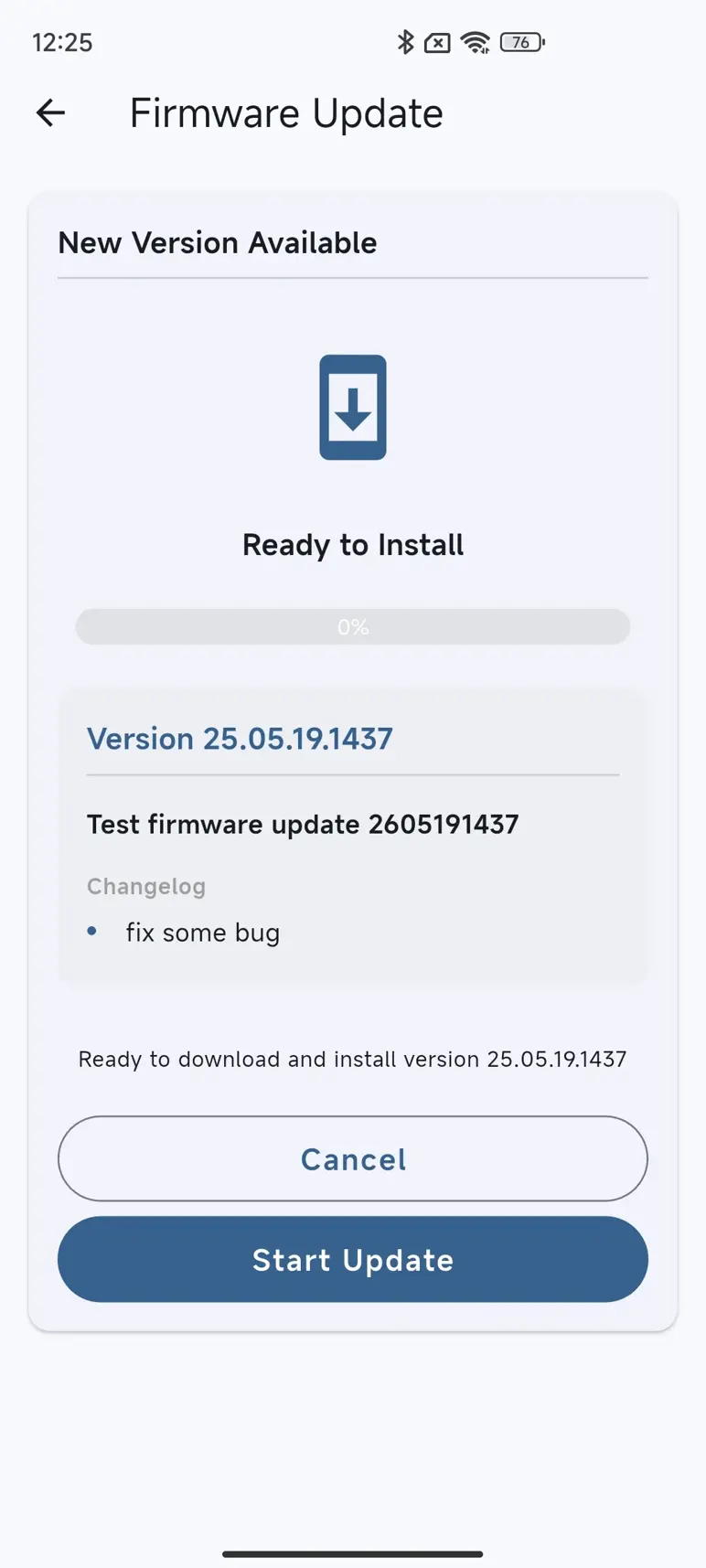
Automatic update detection. Download and install seamlessly. Built-in integrity verification.

Video Playback & Management
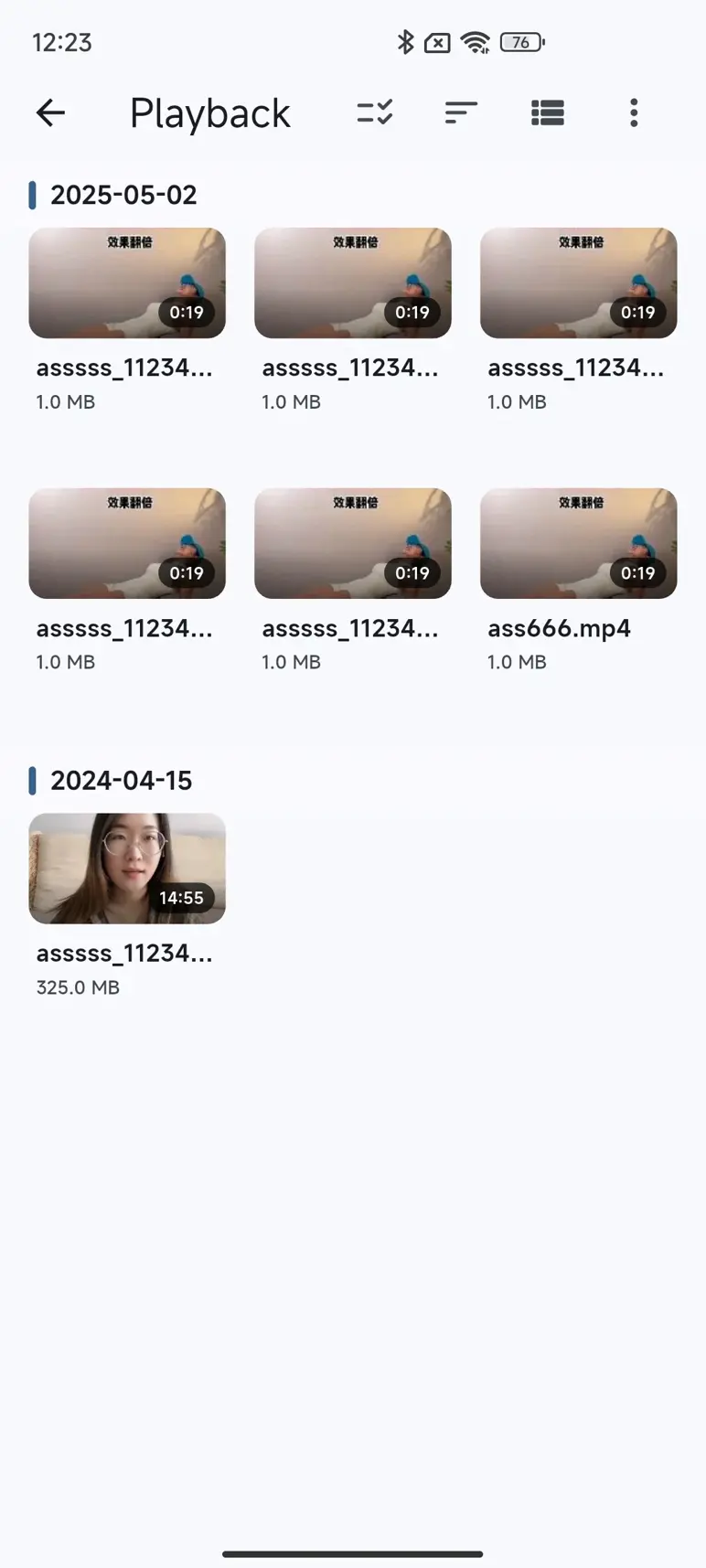
Play recordings directly in app. Batch delete and organize files. Export videos to device storage.

Multi-Platform Support
Android, iOS, Windows, macOS. Consistent experience across devices. Cloud activation for up to 5 devices.
App Screenshots
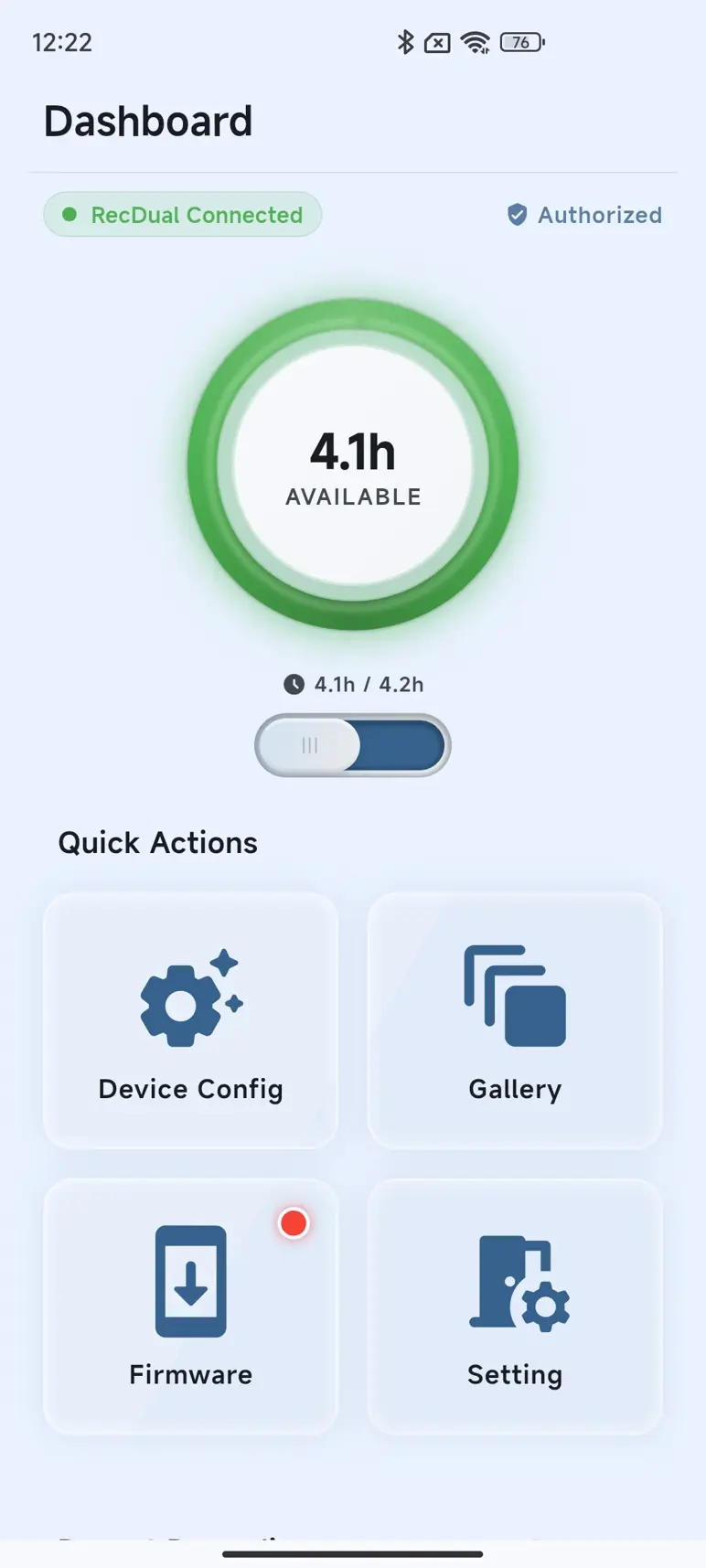
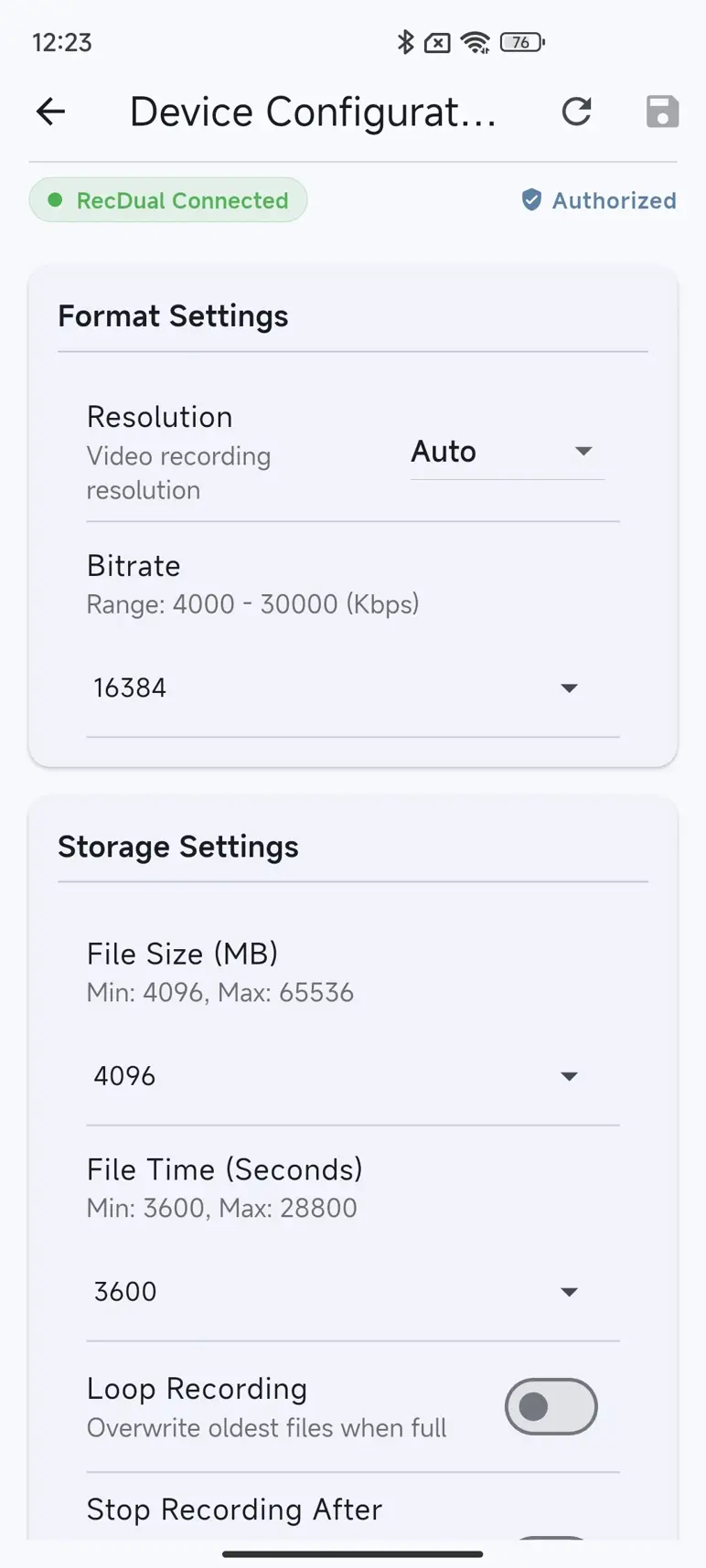
Getting Started
1. Connect Your Device
Use a USB-C cable that supports data transfer to connect RecDual Dongle to your phone or computer.
2. Activate the App
First-time use requires cloud activation:
- Mobile: Scan the QR code on your device or enter the 10-digit serial number
- Desktop: Enter the serial number manually
3. Bind Your Device
Select the storage path to establish management link:
- Root Directory (Recommended): Full features including firmware upgrade
- Videos Folder: Limited mode, manual firmware upgrade required
Download RecDual Link
Free on all platforms.
Android APK Google Play App Store Windows
Android 8.0+ (OTG) · iOS 14.0+ · Windows 10+ · macOS 10.15+
Works With
ClonerAlliance RecDual Dongle (CA-1290)
System Requirements
| Platform | Requirements |
|---|---|
| Android | Android 8.0+, OTG support |
| iOS | iOS 14.0+ |
| Windows | Windows 10+, USB port |
| macOS | macOS 10.15+ |
| Connection | USB-C data cable (not charging-only) |
FAQ
How to install RecDual Link App?
RecDual Link Application is the companion app for managing your RecDual Dongle. Follow the steps below to download and install it on your device.
Learn more →How to activate RecDual Link App?
Activating RecDual Link with your device's Serial Number (SN) unlocks all app features. This guide shows you how to complete the activation process on Android, iOS and Windows.
Learn more →Why is firmware update failing?
If your firmware update is failing in RecDual Link App, this guide will help you identify and resolve the issue. The most common cause of firmware update failure. Firmware update requires root directory access.
Learn more →Why can't App detect my device?
If RecDual Link App cannot detect your RecDual Dongle, follow this troubleshooting guide to resolve the issue. When RecDual Dongle is actively recording, it cannot be recognized as external storage. Many Android phones require OTG (USB On-The-Go) to be manually enabled.
Learn more →Why does App show "device not bound"?
If RecDual Link App shows "device not bound" or similar message, this means the app hasn't established a management link with your RecDual Dongle. Here's how to resolve it. For detailed binding instructions, see how-to-bind-recdual-dongle-to-app.
Learn more →Service
Responsive Support
A professional technical team at your service.
2-Year Warranty
Buy with confidence, covered for two full years.
Free Shipping
Free standard delivery on orders of $60 or more, straight to your door.
- Free standard shipping worldwide on orders of $60 or more; orders under $60 ship for $7. Estimated 15-20 business days after dispatch. Express delivery is selectable at checkout: U.S. orders arrive within 2 business days, from $10; Canadian orders arrive within 7 business days for $25. Import duties and taxes, where applicable, are paid by the recipient.
- 90-day money back guarantee on physical products, counted from the day your order is delivered. Refund Policy.