Remote control notes for using multiple ClonerAlliance UHD Halo units in the same room
Multiple ClonerAlliance UHD Halo units can be used in the same room, such as a gameplay training room, test bench, or multi-station recording setup. This article explains the key remote control notes for this type of deployment.
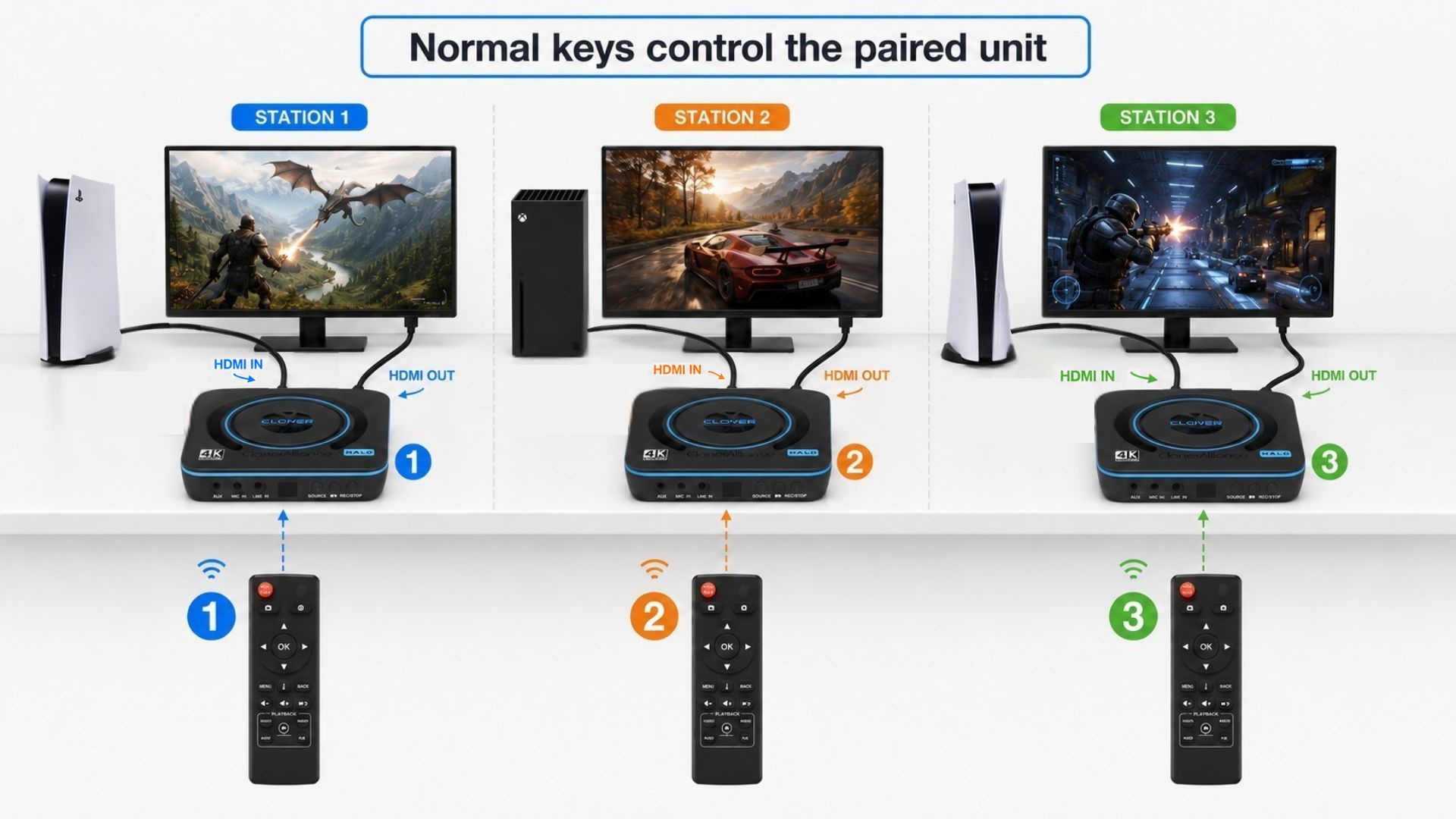
Can Multiple UHD Halo Units Work in One Room?
Yes. Multiple UHD Halo units can operate in the same room at the same time. Each unit records independently, and each unit can be connected to its own game console, PC, display, and storage device.
Remote Control Recommendation
For a multi-unit setup, match each remote control with its corresponding UHD Halo unit before regular use.
Before matching remotes in a multi-unit room, review the basic remote button layout and operation notes in Using the remote control with ClonerAlliance UHD Halo. For the detailed OSD pairing and unpairing process, refer to How do I pair the remote control with ClonerAlliance Device, and how can I confirm the pairing is successful?.
After the remote is matched with the intended UHD Halo unit, normal operation keys should control that paired unit only, such as:
REC
PAUSE
SNAPSHOT
MENU
Directional keys
OK
BACK
This helps avoid accidentally starting, stopping, or changing settings on the wrong unit.
Pairing and Unpairing in a Multi-Unit Setup
When several UHD Halo units are installed close together, pair or unpair one station at a time.
Recommended workflow:
Label each UHD Halo unit and its remote control with the same number or color.
Power on one UHD Halo unit and keep the intended remote control nearby.
Press and hold the “i” button on the remote control for about 5 seconds.
Follow the OSD prompt to pair the remote control with that UHD Halo unit.
Briefly press the “i” button and confirm that Remote Control: Paired is shown on the OSD.
Test basic keys such as MENU, OK, REC, and BACK before moving to the next station.
If you need to move a remote control to a different UHD Halo unit, first unpair it from the current unit, then pair it with the new target unit. The pairing and unpairing screens are shown step by step in How do I pair the remote control with ClonerAlliance Device, and how can I confirm the pairing is successful?.
Important Note About the INFO Key
In a dense multi-unit room, the INFO key may still be received by more than one UHD Halo unit. To avoid confusion, do not use the INFO key unnecessarily during a live recording session.
Best Practices for Multi-Unit Rooms
Label each UHD Halo unit and its remote control with the same number or color.
Match each remote with the intended UHD Halo unit before the session starts.
Test REC and STOP operation for each station before recording important content.
Keep a clear line of sight between the operator and the target UHD Halo unit.
Avoid unnecessary INFO key operation when several units are close together.
If possible, place units with some spacing or angle separation to make operation easier.
Suggested Pre-Session Check
Before a multi-station recording session:
Confirm each HDMI source is shown on the correct display.
Confirm each storage device is recognized.
Confirm each remote controls the intended UHD Halo unit.
Start a short test recording on each station.
Stop the recording and confirm the files are saved correctly.
Related articles:
Using the remote control with ClonerAlliance UHD Halo How do I pair the remote control with ClonerAlliance Device, and how can I confirm the pairing is successful? Basic recording operations with ClonerAlliance UHD Halo How to optimize gaming performance with ClonerAlliance UHD Halo