How do I pair the remote control with ClonerAlliance Device, and how can I confirm the pairing is successful?
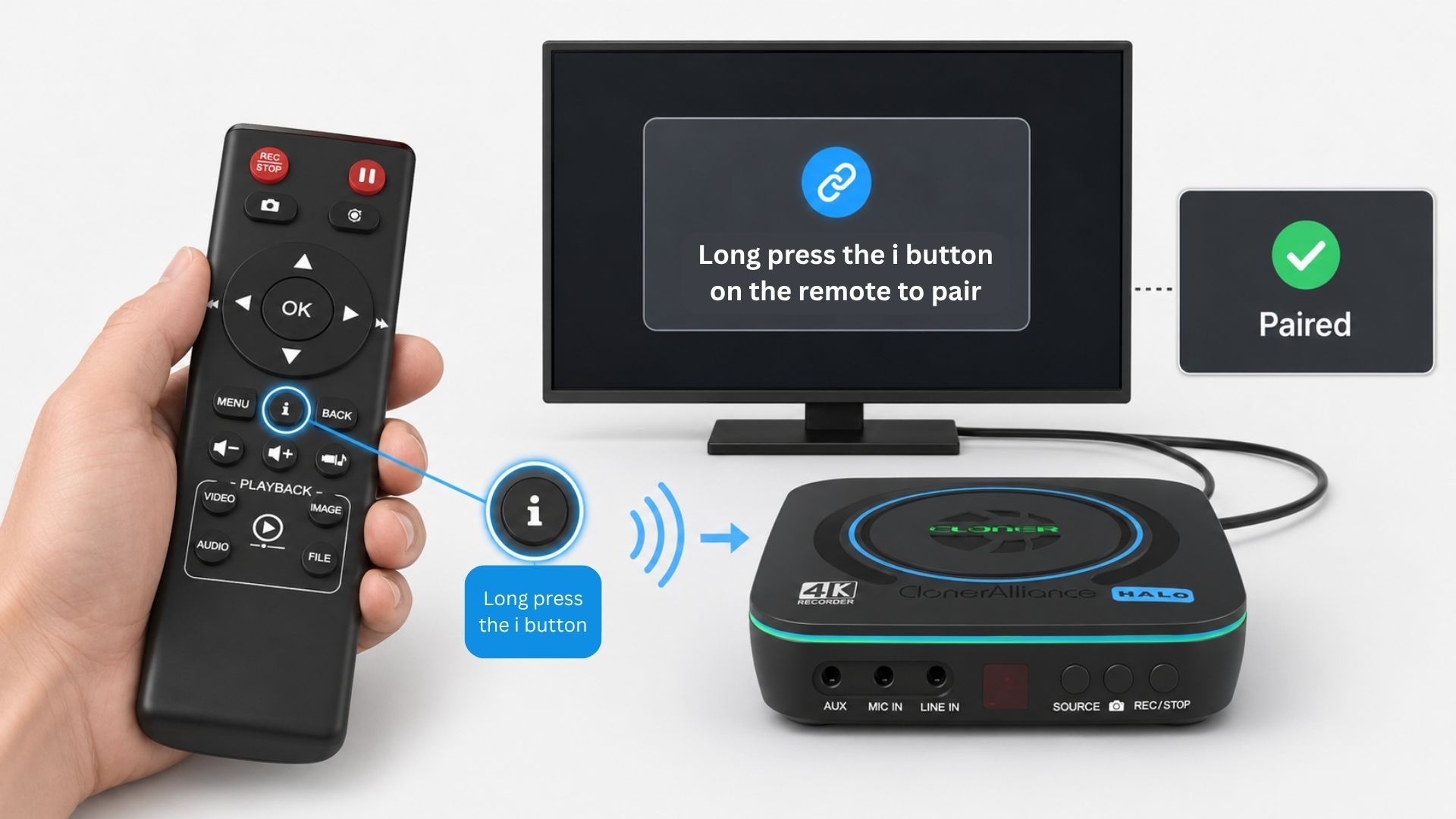
This article explains how to pair the remote control with a supported ClonerAlliance recorder, how to confirm the pairing status, and how to unpair the current remote control when needed.
Pair the Remote Control
If the remote control is not paired, the ClonerAlliance recorder may show the following OSD message after startup:
Remote control not paired! Please press and hold “i” for 5 secs to pair the remote control!
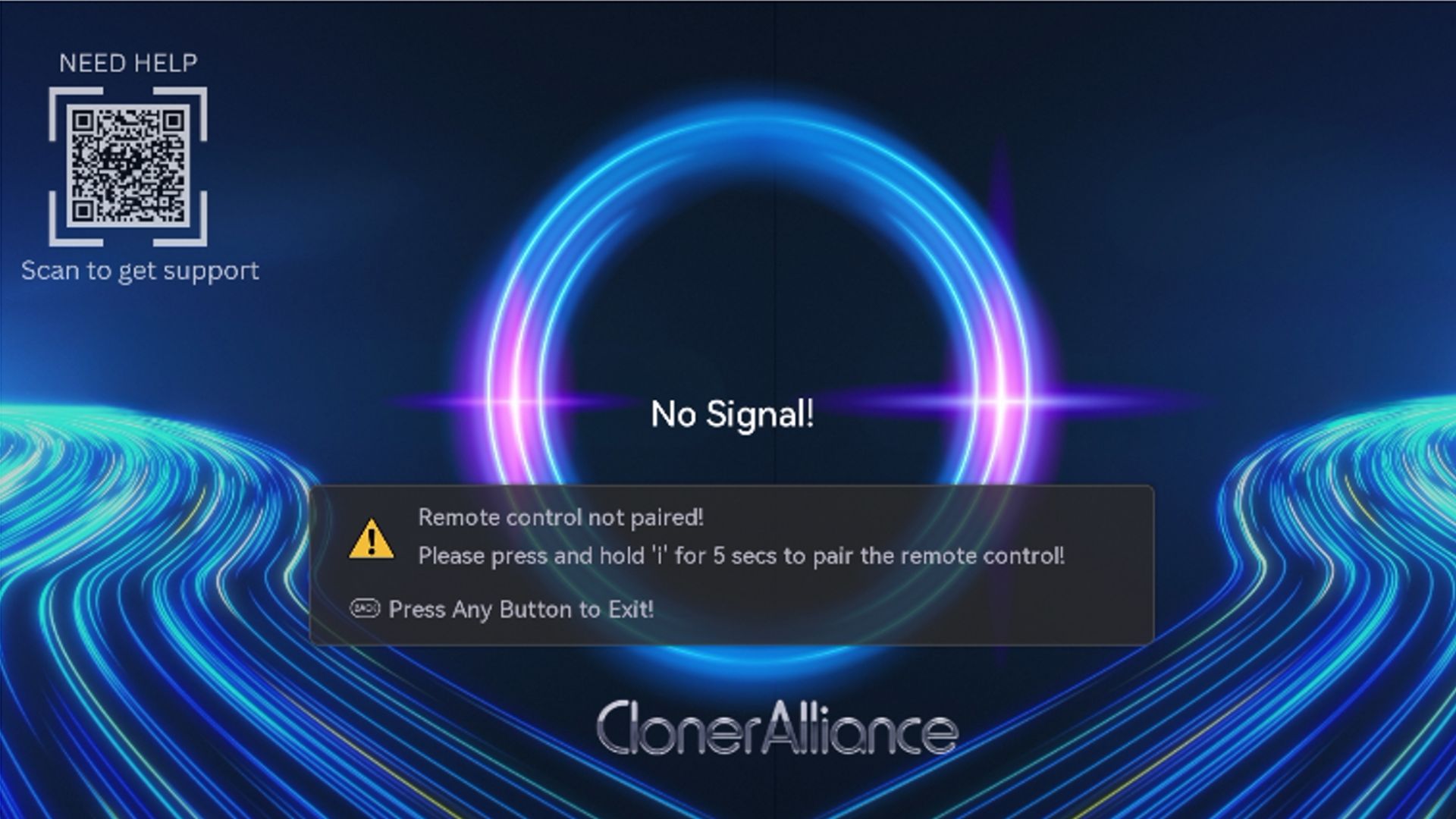
Press and hold the “i” button on the remote control for about 5 seconds.
When the Remote Control Pairing window appears, select Yes, then press OK on the remote control.
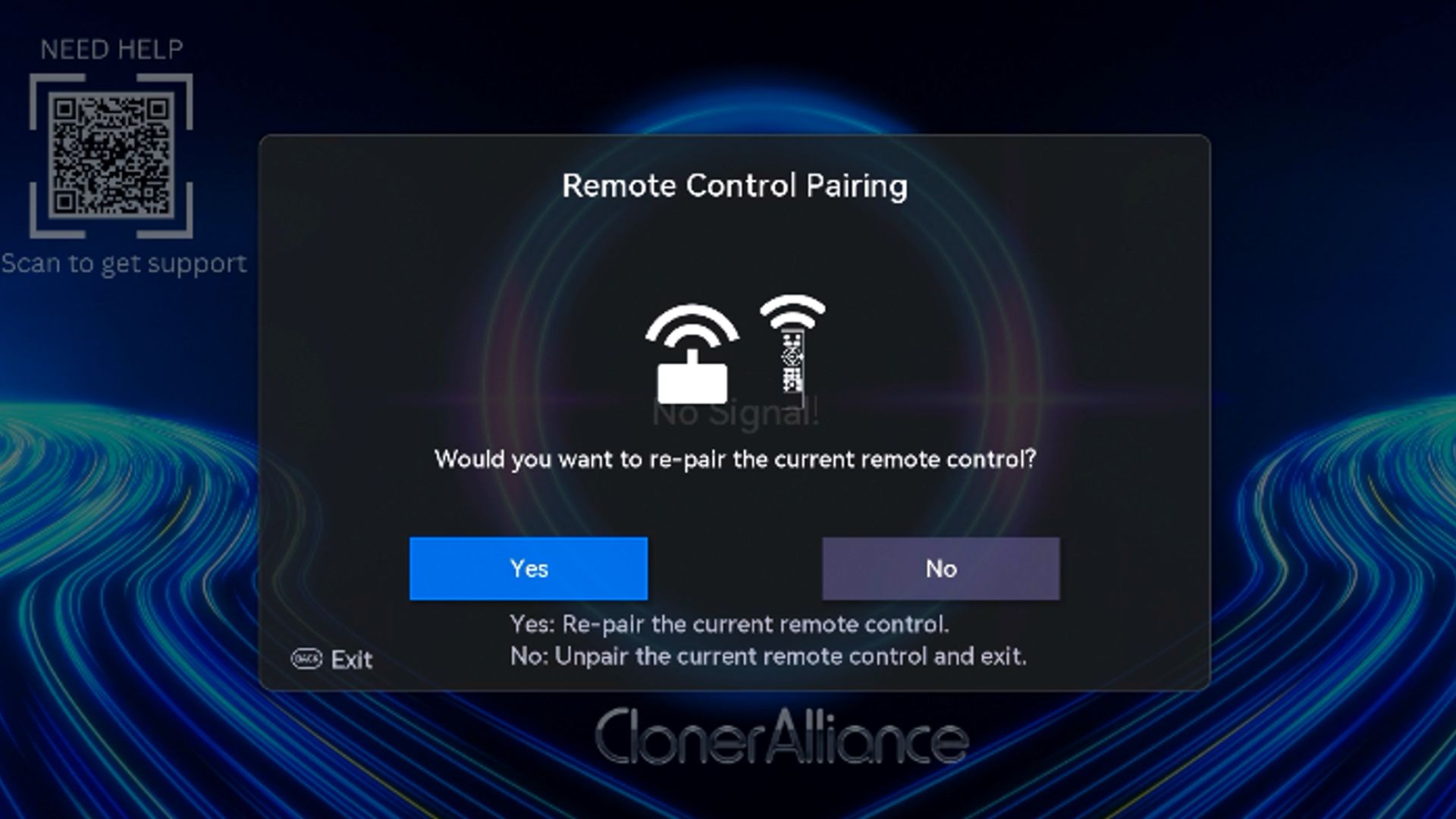
After confirmation, the pairing prompt will disappear automatically.
Briefly press the “i” button to open the information panel and check the remote control status.
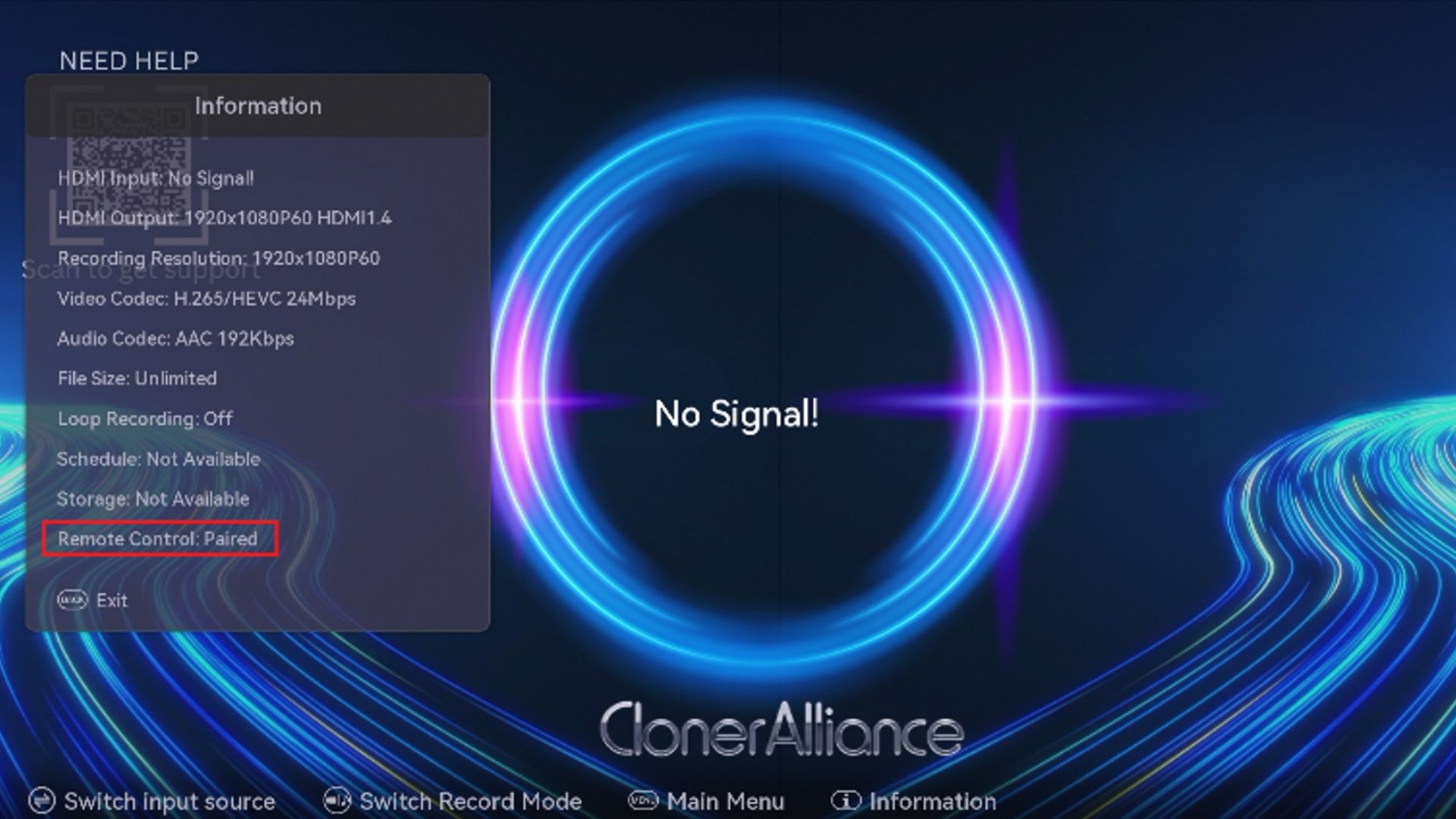
If Remote Control: Paired is displayed on the OSD, the pairing is successful.
Unpair the Current Remote Control
If the remote control is already paired and you want to unpair it from the current ClonerAlliance recorder, follow these steps:
Press and hold the “i” button on the remote control for about 5 seconds.
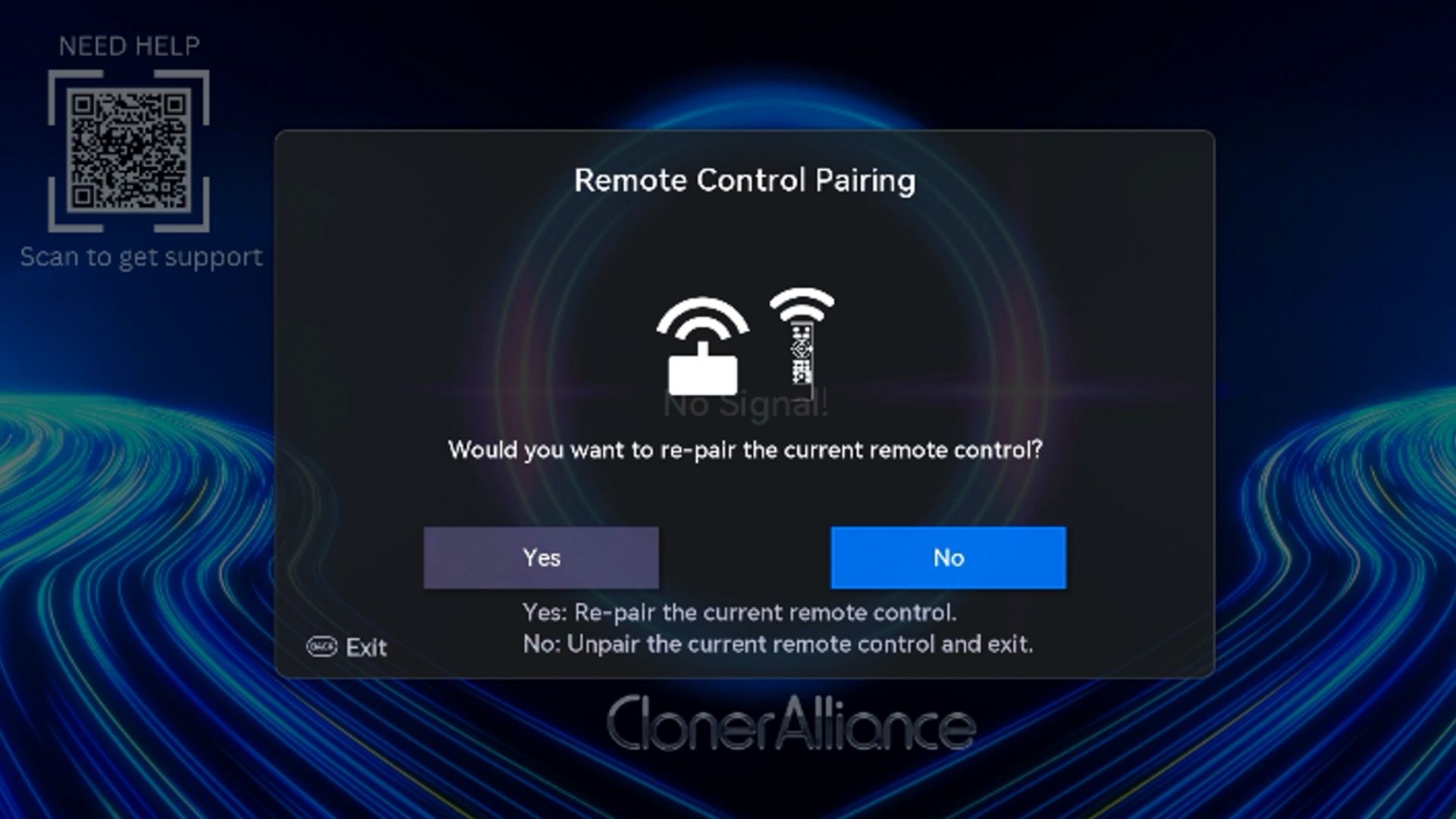
In the Remote Control Pairing window, select No, then press OK on the remote control.
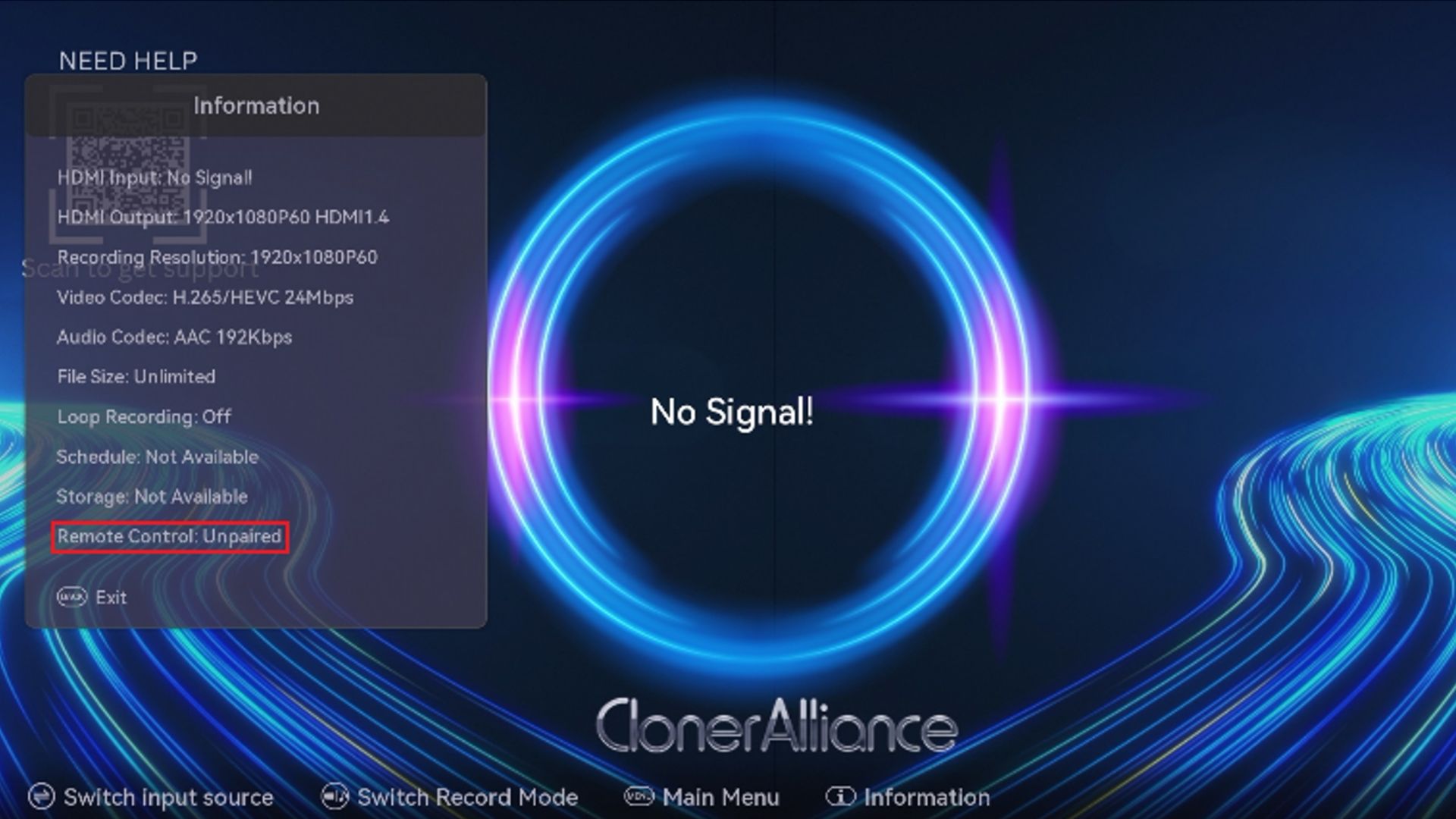
If Remote Control: Unpaired is displayed on the OSD, the remote control has been unpaired successfully.
If Pairing Still Fails
If several attempts fail, try pairing in a different location. Nearby Wi-Fi routers, Bluetooth devices, infrared appliances, or other wireless devices may affect the remote control signal.
For best results, keep high-power Wi-Fi equipment, Bluetooth soundbars, and other possible interference sources at least 1.5 to 2 meters away from the ClonerAlliance recorder during pairing.