What should I do if the remote control still responds sluggishly after pairing?
If the remote control responds slowly after pairing, first re-pair the remote control, then check whether nearby devices are causing signal interference.
Step 1: Re-Pair the Remote Control
Press and hold the “i” button on the remote control for about 5 seconds to complete re-pairing. After the pairing process finishes, test the remote control again and check whether it responds smoothly.
Step 2: Check the Usage Environment
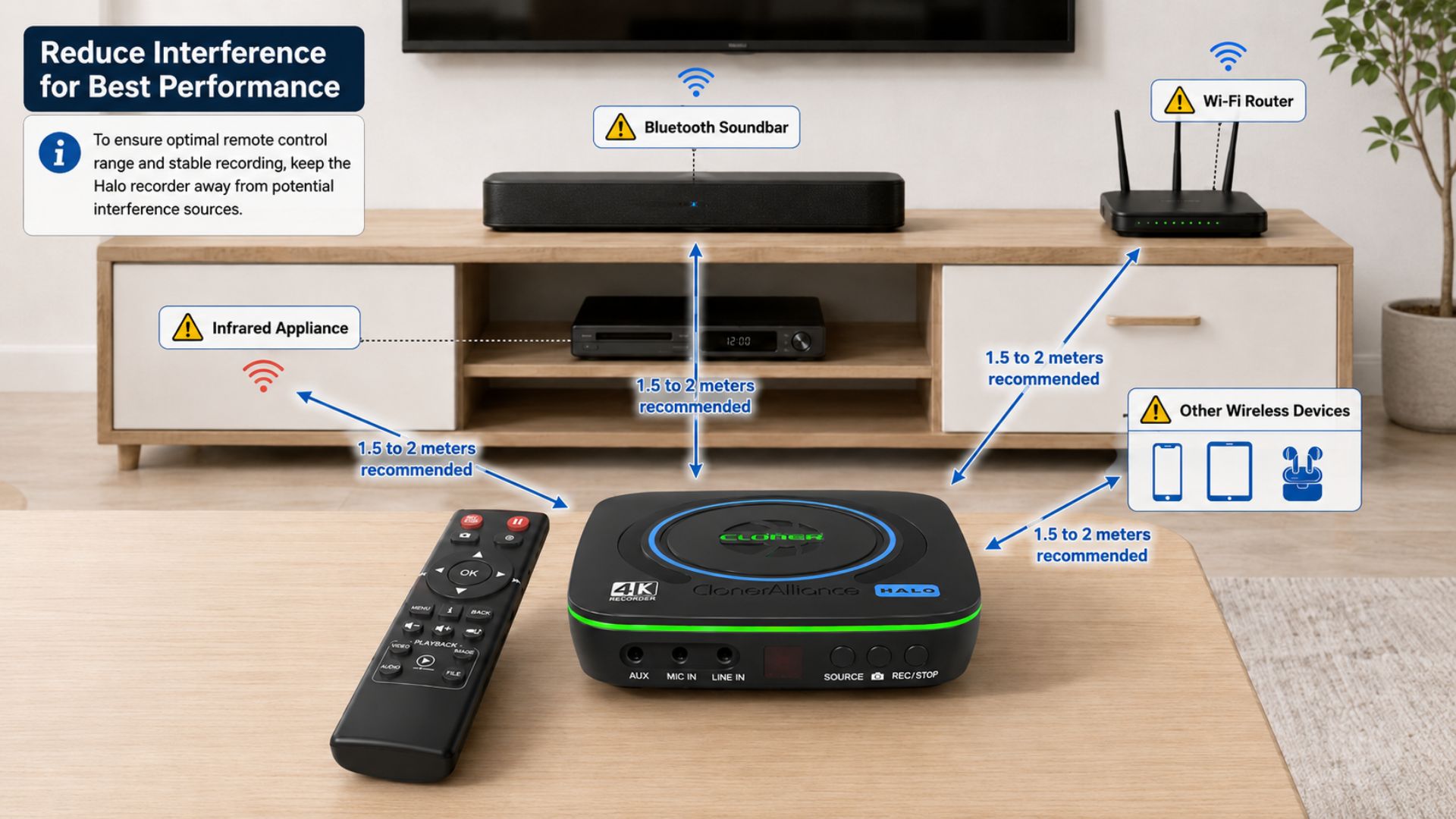
If the issue persists after successful re-pairing, check the area around the ClonerAlliance recorder.
Keep the recorder away from devices that may cause signal interference, including:
Bluetooth devices
Infrared appliances
Wi-Fi equipment
High-power Wi-Fi 6/7 routers
Bluetooth soundbars
Other nearby wireless devices
We recommend placing these possible interference sources at least 1.5 to 2 meters away from the ClonerAlliance recorder.
Step 3: Test in Another Room
Move the ClonerAlliance recorder and remote control to another room and test the remote response again.
If the remote works smoothly in the new room, there are likely interference sources near the original placement. In that case, place the ClonerAlliance recorder farther away from those devices, or set up simple barriers between the recorder and the interference sources to improve remote control response.